
Almost every new project starts with the same question: should this be built on WordPress or Shopify? Both are proven, both can look excellent, and both can rank well in search. The better choice is the one that fits how your business actually works, not the one with the louder fans.
This guide walks through the decision the way I walk clients through it: start with what the website is for, look at what each platform does best, weigh the real costs, and finish with four questions that settle most cases. By the end you should know which one to pick, or at least exactly what to ask next.
- Service and company websites
- Articles and search-led growth
- Bookings, memberships, custom features
- Product catalogues and variants
- Tested checkout and payments
- Inventory and order handling
Start with what you sell
This single question settles most cases. If your website exists mainly to sell products, with a catalogue, variants, a cart, checkout, shipping and tax, Shopify is built for exactly that job. If your website exists mainly to explain a service, build trust and bring in enquiries, WordPress is usually the more natural fit.
- Mostly products, ordered online: Shopify.
- Mostly services, bookings and enquiries: WordPress.
- Content and articles as a main way people find you: WordPress.
- A large store with many variants and fast daily order handling: Shopify.
Many businesses sit in the middle. A clinic that also sells a few products, or a brand that publishes a lot of advice alongside its shop. In those cases, ask which side of the business earns most of the revenue, and let that side choose the platform. You can almost always add a smaller version of the other side later.
Where WordPress is the stronger choice
WordPress gives you the most freedom. Page layouts, custom content types, memberships, booking tools, multilingual sites and unusual features are all possible, and you own the site and its hosting. It also has a long track record with search, because publishing content and controlling page structure is what it was designed for.
A good example is a hospital or clinic website. Visitors need to find a department or a doctor quickly, read detailed service pages and reach the right contact. That is a content and navigation problem, not a checkout problem, and WordPress handles it well.

The trade-off is responsibility. A WordPress site needs sensible hosting, regular updates and backups. Done well, that is routine and cheap to maintain. Left alone for a year, it becomes the usual source of slow pages and security problems.
What you gain with WordPress
- Full control over page layouts, content types and features.
- Strong publishing tools, which suits articles, guides and service pages.
- You own the site, the hosting and the data.
- A huge ecosystem of plugins and developers.
What you take on
- Hosting, updates and backups, either yourself or through a maintenance plan.
- Choosing plugins carefully, because quality varies widely.
- More decisions at the start, since almost everything is configurable.
Where Shopify is the stronger choice
Shopify handles the hard parts of selling online for you: hosting, security, checkout, payments, inventory and order management are part of the platform. That means fewer things to maintain and a checkout that is already tested at scale. For most product businesses, this removes a whole category of risk.
The trade-offs are monthly platform fees, transaction costs depending on the payment setup, and less freedom outside the shop itself. A blog or a service-style site is possible on Shopify, but it is rarely where the platform is at its best.
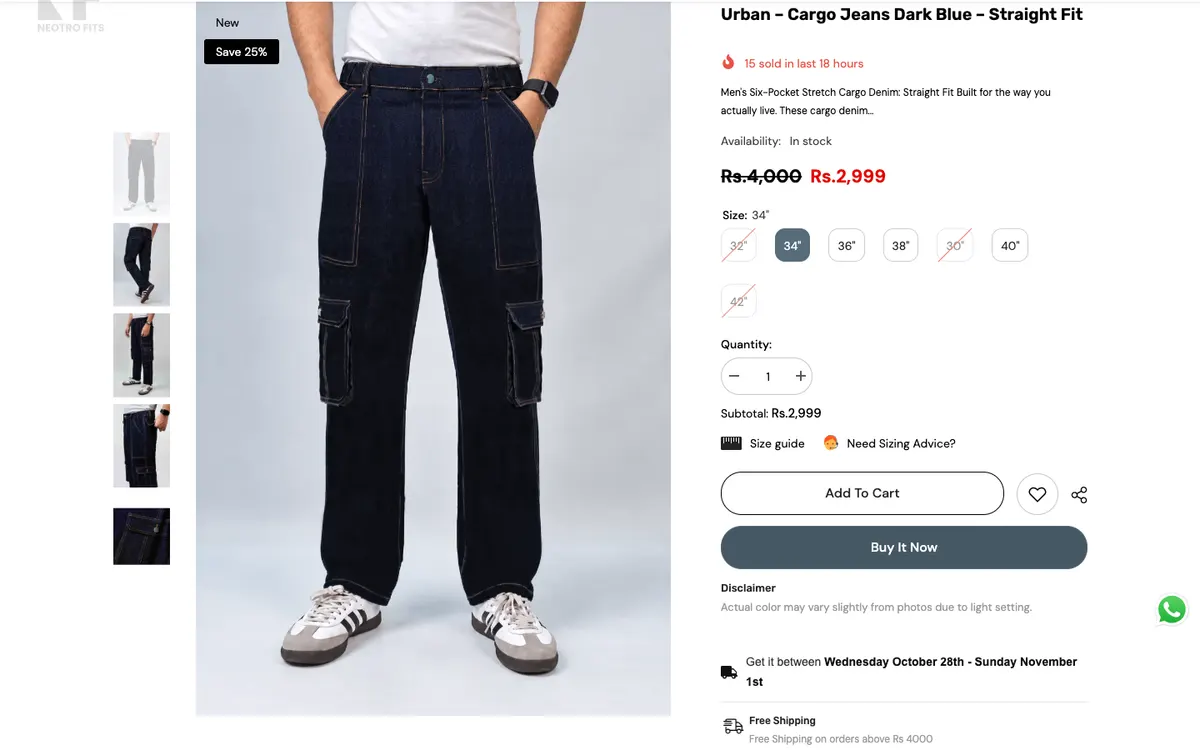 Neotro Fits: product page
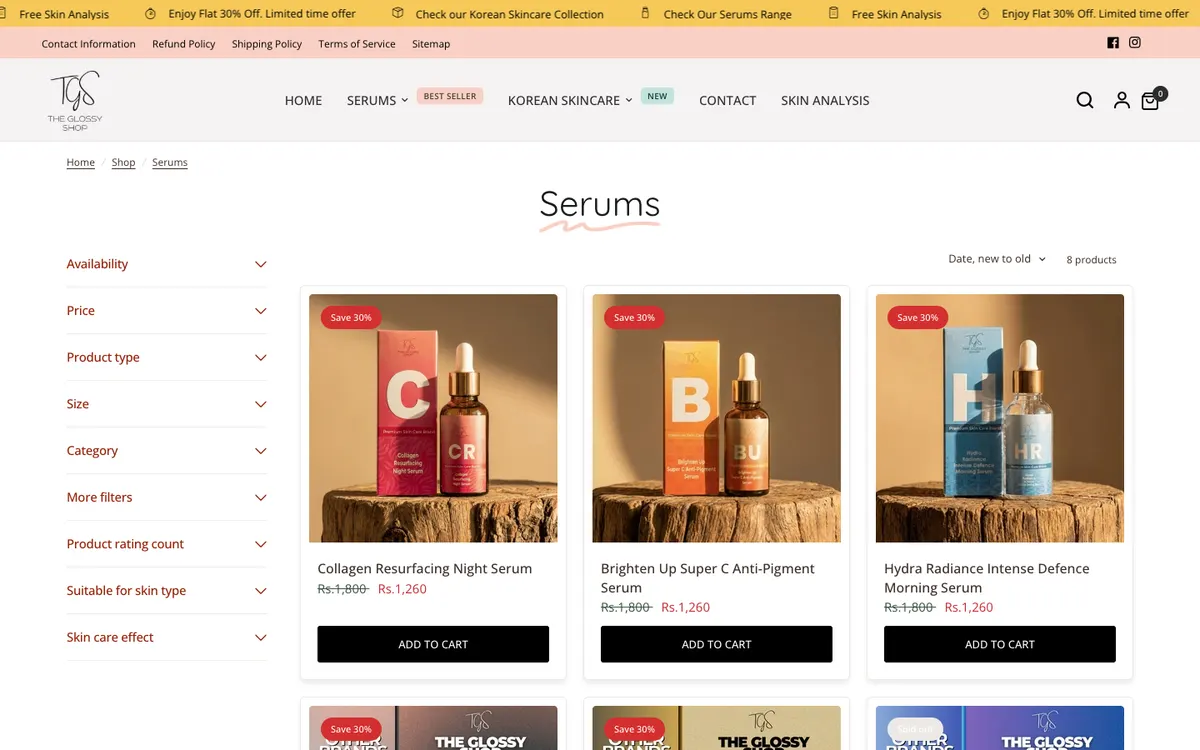 The Glossy Shop: skincare store
 Khurana Textiles: product cards
What about WooCommerce?
WooCommerce adds a shop to WordPress, so it is a real option when you want a store and complete control over content and design. It suits businesses that already run on WordPress, need custom product logic, or sell alongside a lot of content. It asks more of you than Shopify does in hosting, performance and upkeep, so it is best when that control is something you will actually use. You can compare what is included in each development package before you decide.
 Shamim Arts: WooCommerce
 FreshNest Global: WooCommerce
 RGL Pk: WooCommerce
Four questions that usually decide it
1. Who will manage the site day to day?
If you want to add products and process orders without thinking about updates or hosting, Shopify is simpler. If you have someone who can look after the technical side, or you work with a developer on a maintenance plan, WordPress is entirely comfortable. Be honest here. A site nobody looks after is the real risk on either platform.
2. How much will the site need to change?
A site that will stay close to a standard layout suits either platform. If you expect custom features, special pricing rules or unusual page types, WordPress gives you more room before you hit a limit. If you mostly need to add and edit products, Shopify rarely gets in your way.
3. How do you plan to get customers?
If search and helpful content are central to your plan, make sure the platform lets you publish and structure pages the way you need. Both can do it. WordPress makes it the more flexible of the two, and our guide to SEO basics for a business website covers what to get right from the start. If paid ads and social traffic are your main sources, the product page matters more, and the Shopify product page checklist is a better place to begin.
4. What does the full cost look like?
Compare the whole picture, not just the build: hosting or platform fees, apps and plugins you will need, payment fees, and the cost of keeping the site updated. A cheaper start can cost more over two years, in either direction. The packages page lists what each service includes, so you can compare like with like.
- 1Is the main job selling products online?
- Yes Start with Shopify. No Go to question 2.
- 2Do you need custom features or lots of content?
- Yes WordPress, or WooCommerce if you also sell. No Either works; pick on budget and who manages it.
Both should look good on a phone
Whichever platform you choose, most visitors will arrive on a phone. That is a design and build matter rather than a platform matter, but it is worth checking before you sign off: menus that open easily, buttons large enough to tap, and a checkout or contact form that works without zooming.
 WordPress service site
 Shopify store
 WooCommerce store
Switching later is possible, but not free
Moving a site between platforms is doable: products, pages and content can be migrated. It does take planning to keep your page addresses, redirects and search visibility intact, so it is far cheaper to choose well the first time than to move in a hurry. Migrations and integrations are part of the custom development work.

Running costs, in plain terms
Costs are where most comparisons go wrong, because people compare a Shopify monthly plan with a WordPress build and forget everything else. The honest way is to list every recurring cost on each side, then add the one-off build cost.
On Shopify you typically pay for
- The monthly platform plan.
- Payment processing fees, which depend on your plan and payment provider.
- Paid apps for features the platform does not include, such as advanced reviews or subscriptions.
- A premium theme, if you choose one rather than a free theme.
- Your domain name.
On WordPress you typically pay for
- Hosting, which varies widely in quality and price.
- Premium plugins or a page builder licence, where the free options are not enough.
- A security and backup setup, if your host does not include one.
- Maintenance, either your own time or a developer on a plan.
- Your domain name, plus payment gateway fees if you also sell online.
Neither list is better. Shopify bundles more into one bill, and WordPress spreads costs across several providers but gives you more control over each. Add them up over two or three years to compare fairly.
Search and visibility
Both platforms can rank well, because search engines care about the page, not the platform behind it. What matters is fast loading, clear page structure, useful content and a site that works well on mobile. WordPress offers more freedom in how pages and addresses are structured, which helps content-heavy sites. Shopify has sensible defaults for product and collection pages, which helps stores.
If articles are going to be a real part of your marketing, plan for them from the start. A store can run a blog, and a service site can sell a product or two. The question is which side you will invest in most.
Frequently asked questions
Can I start on one platform and move to the other later?
Yes. Products, pages, blog posts and customer data can be migrated, as in the Silky Bouquets move from a custom store to Shopify; the process is explained in this migration guide. The work is in keeping page addresses, redirects and search visibility intact. It is much easier when planned than when forced by a problem.
Is Shopify too expensive for a small shop?
It depends on volume and what you need. A small shop that wants a reliable checkout and little maintenance often finds it good value. A shop with very few products and a lot of content may be better on WordPress with WooCommerce.
Is WordPress harder to use than Shopify?
Day-to-day editing is about equally easy once the site is built well. The difference is behind the scenes: WordPress needs hosting, updates and backups managed, while Shopify does that for you.
Which one is more secure?
Both are secure when looked after. Shopify manages security centrally. WordPress security depends on good hosting, timely updates and careful plugin choices. Neglect is the real risk, on either platform.
Can one developer build either?
Yes. I build on both, and I would rather recommend the one that fits than the one I happen to prefer. That is the point of choosing before the build starts.
A short summary
- Choose Shopify when the website exists to sell products.
- Choose WordPress when it exists to explain, publish and bring in enquiries.
- Choose WooCommerce when you need a shop and complete control together.
- Count the full cost and who will maintain the site, not only the build price.
- Check the phone experience before you launch, whatever you choose.
Not sure which fits?
Tell me what you sell, how you want customers to reach you and who will look after the site, and I will recommend a platform with the reasons, even if the honest answer is the one you were not expecting. You can start a conversation here, see how a project runs first, or get ready with the pre-project checklist.